Add Watermark to PDF Documents
Watermark your PDF documents directly on your phone. Mark files as confidential, draft, or add your company logo in seconds.
Professional PDF Watermarking on Your Phone
Watermarking PDF documents is a standard practice in business, legal, and creative industries. Whether you need to mark a contract as “Draft,” label a report as “Confidential,” or stamp a proposal with your company logo, adding a watermark to a PDF signals intent and protects your intellectual property. With Watermark Maker, you can do all of this directly on your mobile device — no desktop software required.
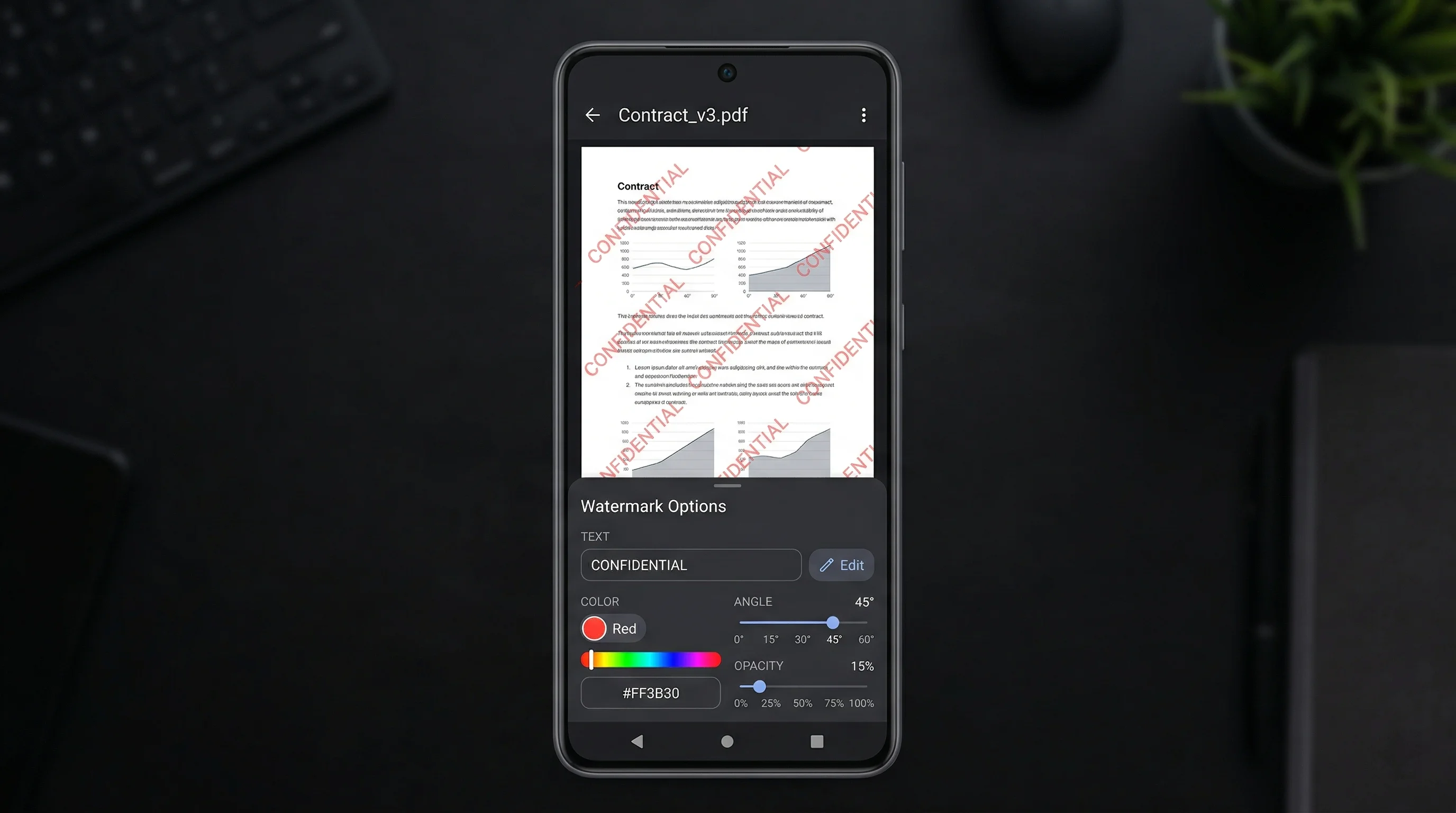
The app lets you watermark PDF documents with text overlays or your own logo. You can choose to place the watermark on every page, only the first page, or specific pages within the document. Adjust the opacity so the watermark is clearly visible but does not obscure the content underneath. For stronger protection, use the tiling option to repeat your watermark across the entire page.
One common use case for PDF watermarking is sharing documents externally while discouraging unauthorized redistribution. Lawyers watermark PDFs before sending them to opposing counsel. Designers watermark PDF proofs before client approval. Businesses watermark internal documents to track which version was shared and with whom. In each case, the watermark serves as both a visual deterrent and a mark of ownership.
Watermark Maker processes your PDF files entirely on your device, so sensitive documents are never uploaded to a server. This is especially important for confidential business materials. The output is a clean, high-quality PDF with your watermark embedded on each page. If you also work with images, the same app lets you add watermarks to photos and even videos, making it a single solution for all your watermarking needs.
How to Watermark a PDF
Open Your PDF
Launch Watermark Maker and select a PDF document from your files. Multi-page documents are fully supported.
Add Your Watermark
Type text like “Confidential” or “Draft,” or import your company logo. Set the position, opacity, and which pages to watermark.
Save the PDF
Export your watermarked PDF and share it via email, messaging apps, or cloud storage — ready for professional use.
Download Watermark Maker
Watermark your PDFs on the go. Free on Android and iOS.