How to Add a Watermark to Photos on Android & iPhone (2026)
Whether you are a photographer, content creator, or business owner, watermarking your photos is one of the simplest ways to protect your work and build your brand. This guide walks you through the process on both Android and iPhone.
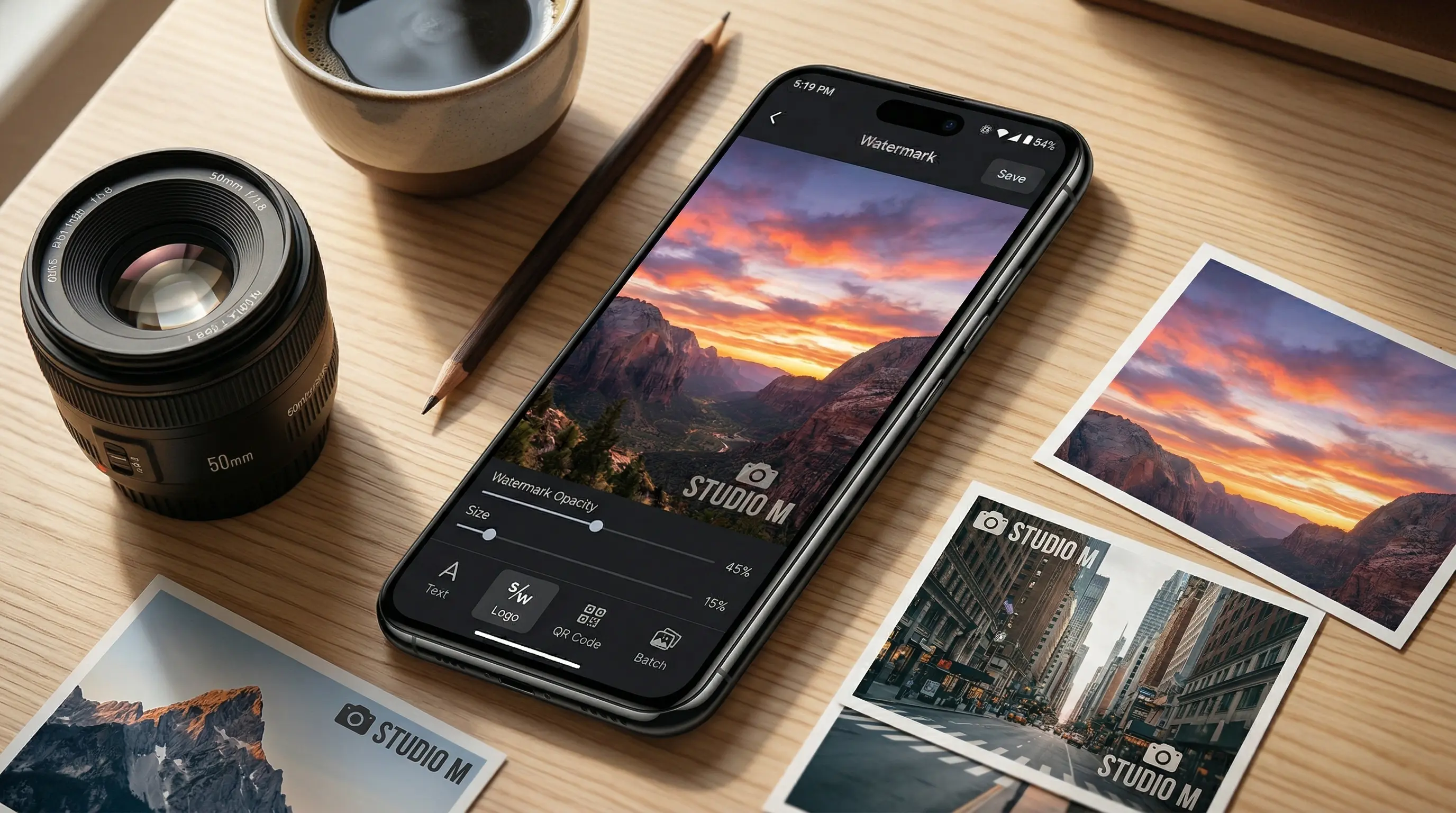
Why Watermark Your Photos?
Every day, millions of images are shared online without permission. A watermark serves as a visible reminder that your photo is your intellectual property. Here are the most common reasons people watermark their images:
- Copyright protection — A watermark makes it harder for someone to pass off your work as their own. Even if the image is copied, your mark travels with it.
- Brand recognition — Photographers, designers, and businesses use logo watermarks to turn every shared image into a branding opportunity.
- Proof of ownership — If you ever need to file a DMCA takedown or prove that an image belongs to you, a consistent watermark is strong supporting evidence.
- Deterrence — Most casual image thieves will simply skip a watermarked photo and look for an unprotected one instead.
Step-by-Step: Add a Watermark with Watermark Maker
The Watermark Maker app is available free on both Android and iOS. Here is how to watermark a photo in under a minute:
- Open the app and select your photo.Tap the “+” button to import one or more images from your camera roll or file manager.
- Choose your watermark type. You can add a text watermark, a logo or image watermark, or even a QR code. Most users start with a simple text watermark containing their name or website URL.
- Customize the appearance. Adjust the font, size, color, opacity, and rotation. A semi-transparent watermark (around 30-50% opacity) protects the image without distracting from the content.
- Position the watermark. Drag it to the corner or center of your photo. For maximum protection, place it over an important area that cannot be easily cropped out.
- Save and export. Tap save to export the watermarked image to your camera roll. The original photo remains untouched.
Need to watermark many photos at once? The batch watermark feature lets you apply the same watermark to hundreds of images in a single tap.
Types of Watermarks
Not all watermarks are created equal. The type you choose depends on your goals:
- Text watermarks — The most common type. Add your name, business name, copyright symbol, or URL. Quick to create and universally understood.
- Logo watermarks — Upload your brand logo as a PNG with a transparent background. This looks more professional and builds instant brand recognition.
- Tiled watermarks — A repeating pattern that covers the entire image. This is the hardest style to remove, making it ideal for preview images and proofs.
- Invisible/metadata watermarks — Embedded in the file data rather than visible on the image. Useful for tracking, but they do not deter casual theft since they are not visible.
Tips for Effective Watermarks
A poorly placed watermark can ruin a great photo, while a well-designed one protects without distracting. Keep these tips in mind:
- Keep it subtle. Use 30-50% opacity so the watermark is visible but does not overpower the image. The photo should still be the focus.
- Place it strategically. Corners are convenient but easy to crop. For stronger protection, place the watermark near the center or over a key element of the composition.
- Use a consistent style. Stick to the same font, logo, and placement across all your images. This builds brand recognition and looks professional.
- Match the watermark to the image. Use a light-colored watermark on dark images and a dark one on light images — or add a subtle shadow so it is readable on any background.
- Do not overdo it. One clean watermark is better than multiple overlapping marks. You want to protect the image, not make it unusable.
Wrapping Up
Adding a watermark to your photos takes less than a minute and gives you lasting protection. Whether you are sharing images on social media, sending proofs to clients, or listing products on an e-commerce site, a watermark ensures your work stays credited to you.
Ready to protect your photos? Download Watermark Maker for free and start watermarking in seconds.
Start Watermarking Today
Download Watermark Maker for free on Android and iOS. Protect your photos in seconds.